A signal starts it
It can be a subscription, click, date, data change, webhook or an event from your system.
ONLINE STOREcheckout.started
→ EVENT RECEIVEDBooking started
nowDefine the event that starts the flow, the conditions it evaluates and the next action—or describe the goal and let the Copilot prepare the first draft.
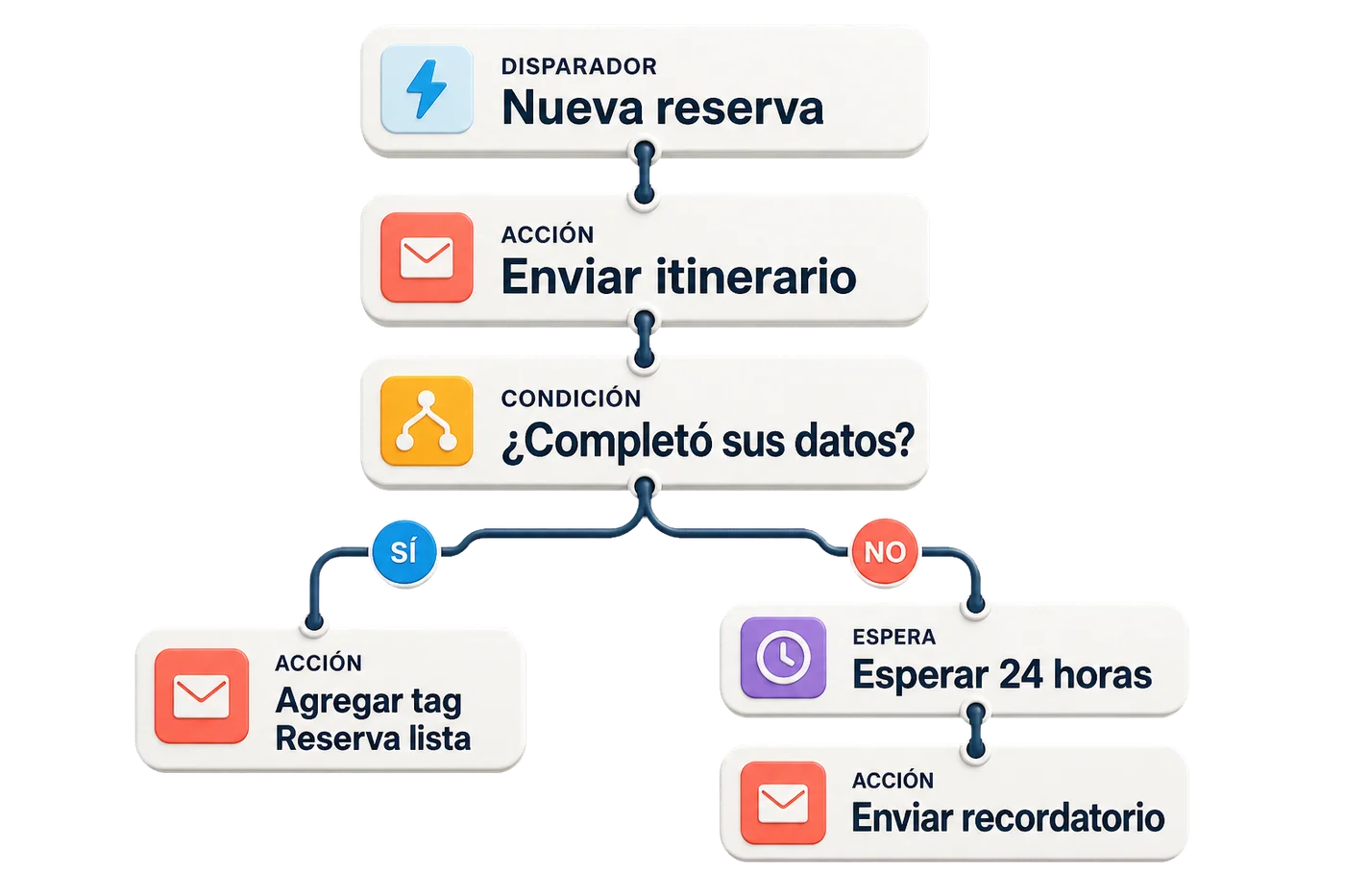
An automation connects three easy-to-review pieces: the starting signal, the deciding rule and the action to execute.
It can be a subscription, click, date, data change, webhook or an event from your system.
EVENT RECEIVEDBooking started
nowThe journey checks data or behavior and opens a different branch for each response.
Send an email, apply a tag, wait for the right moment or notify another tool.
EMAILSend reminder
+TAGFollow-up enabled
+WEBHOOKNotify CRM
Combine contact data, activity, location and events. The automation reevaluates rules every time it needs to decide.
Contact data Fields, location, device and subscription date.
Behavior Opens, clicks, activity and recorded events.
Combined logic Groups with AND/OR rules before activation.
Follow-up audienceJourney condition
SEGMENT READYRules can be used in the journey
Your ecommerce, CRM or application sends a signal. Fleetmailer records it and runs the flow you defined.
Explore integrations →Online storePurchases and carts
CRMLeads and opportunities
Your applicationActivity and changes
AUTOMATIONBooking follow-up
Send emailBooking confirmation
Apply tagConfirmed customer
Notify systemOutgoing webhook
Create an account and prepare the first draft with the Copilot.